*This article is for customers who access and assign MATHia in Clear Learning Center.
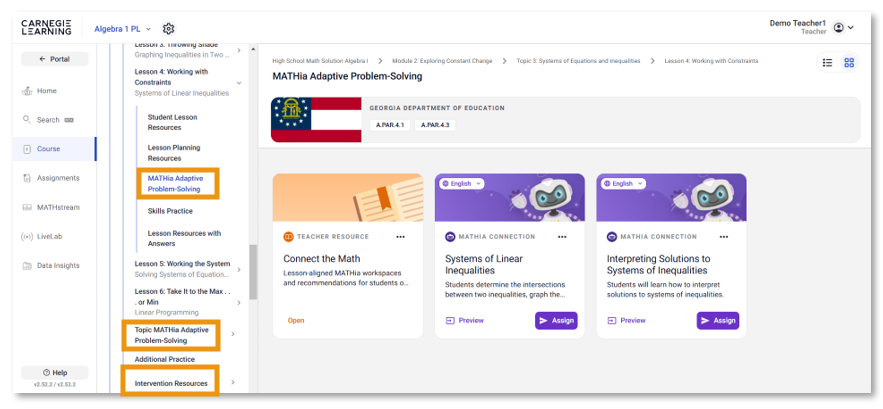
MATHia workspaces can be assigned in multiple locations within Clear Learning Center:
The Courses tab for your designated Primary Course
The Courses tab for any Additional Courses you’ve manually added to your class
The Search tab, where you can quickly locate any workspace across all grade levels
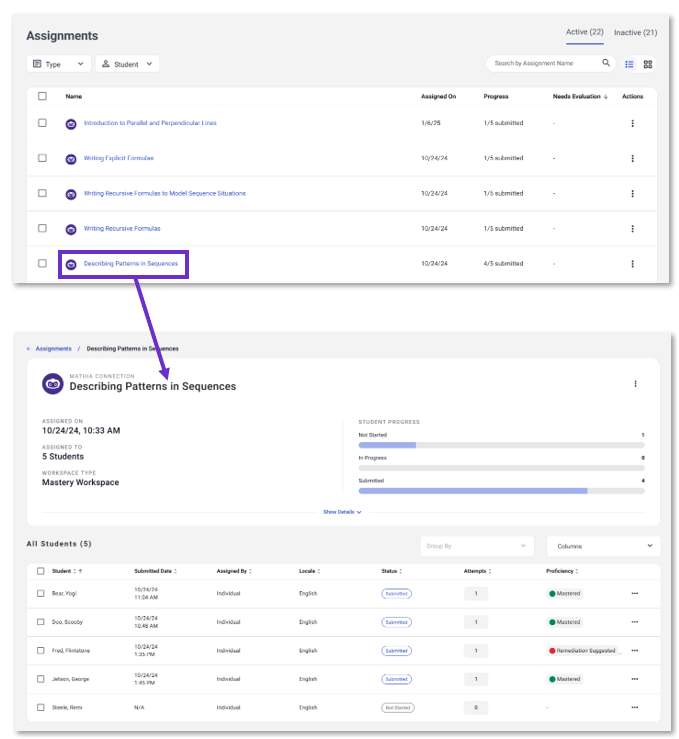
All assigned MATHia workspaces will appear in the Assignments tab.
Within the Assignments tab, select the MATHia assignment you would like to view. Data on this page includes:
Date assigned
Students who have been assigned the workspace
Student Progress on the assigned workspace (Not Started, In Progress, Submitted)
Number of Attempts, or number of times a student has submitted this workspace
Proficiency Level
Mastery Workspaces: Mastered, Incomplete, In Progress, Remediation Suggested
Concept Builder Workspaces: Completed, Incomplete, In Prgoress, Remediation Suggested
All assigned MATHia workspaces will appear in the Status & Score Report in the Data Insights tab.
See the status or score of the student's most recent assignment for each workspace.
How is progress shown for MATHia workspaces?
Concept Builder: Marked as Completed once finished
Mastery: Displays a numeric score based on the number of skills mastered (total possible = number of skills in the workspace)
Averages: Mastery workspace averages are rounded to the nearest whole number
Data for MATHia workspaces aligned to your designated Primary course are also available in the Data Insights tab.
Which workspaces are these?
These MATHia workspaces are aligned to lessons and topics in your Primary course. Workspaces aligned to topics of your primary course include, when available, workspaces for readiness.
Where are these workspaces located?
They are located within the Courses tab for your Primary course within each lesson and on each topic-level page.
Where do I locate my student data for these workspaces?
In addition to the data in the Assignments tab, you will find information on your students progress and performance in the Data Insights tab.
Displays class and student progress toward end-of-year goals over time
Provides a total APLSE Score for each class based on the recommended content associated with the curriculum of your primary course.
Predicts where, in the journey of mastering on grade level content, a class or student will be at the end of a school year
How do I see data for my entire class?
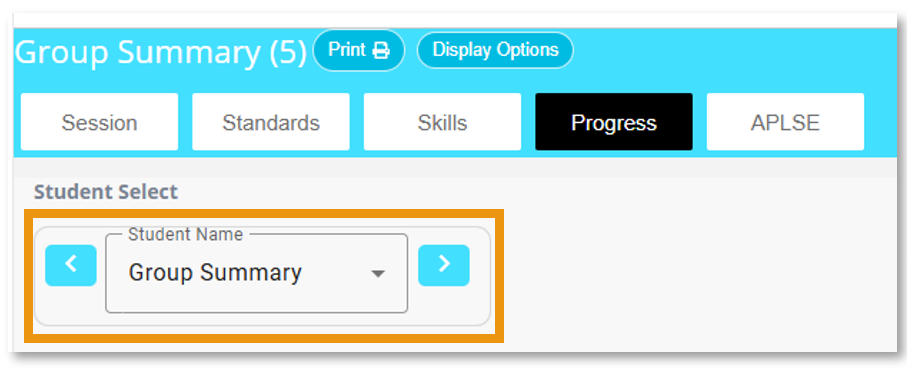
After selecting the report you would like to view, select Group Summary from the dropdown menu.
How do I see data for an individual student?
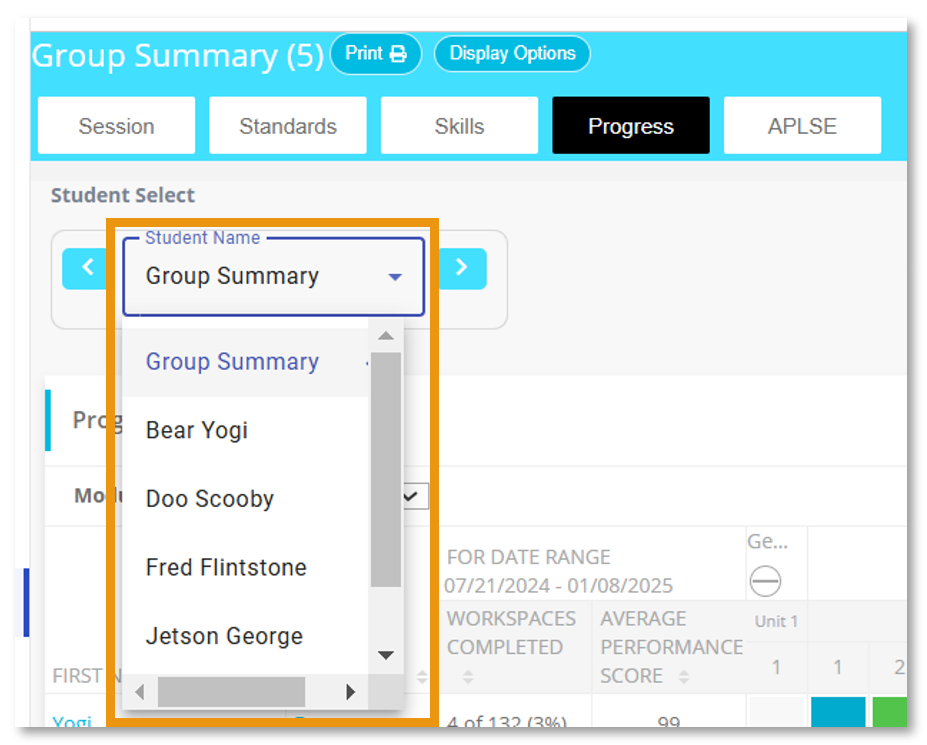
After selecting the report you would like to view, select an individual student from the dropdown menu.
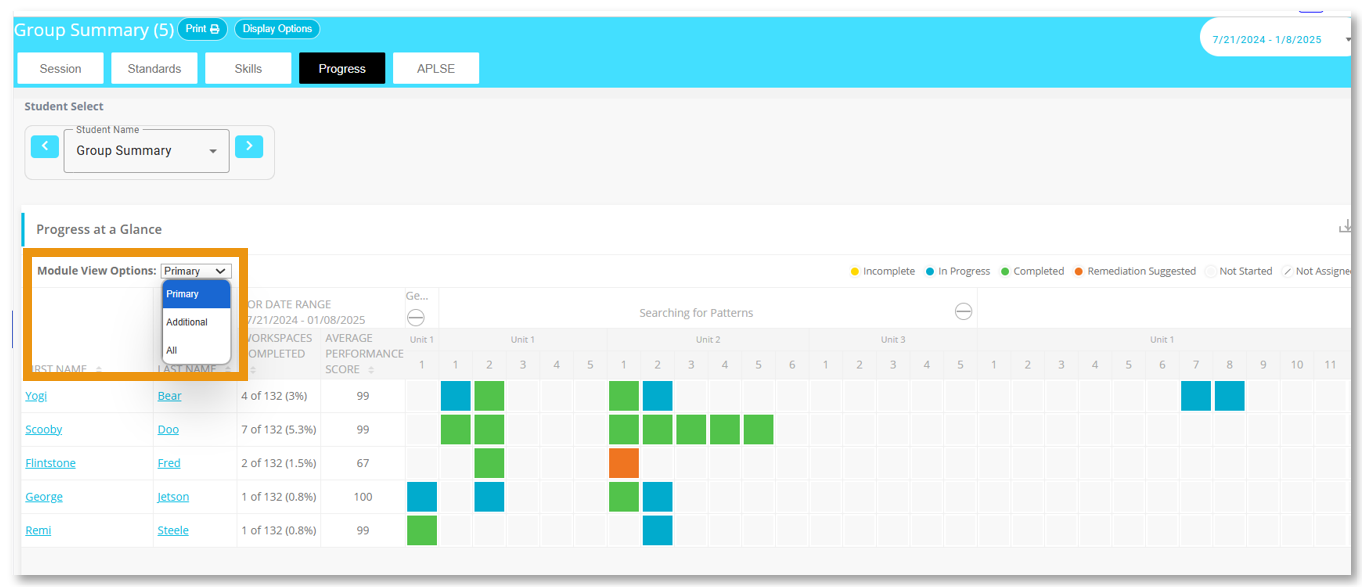
What does Module View Options mean?
Selecting Primary from the dropdown menu will show data for workspaces available at the lesson and topic level for your Primary course.
Selecting Additional from the dropdown menu will show data for workspaces, when available, in the Intervention Resources for your Primary course.
Selecting All from the dropdown menu will show data for workspaces available at the lesson and topic levels and workspaces, when available, in the Intervention Resources for your Primary course.
Data for MATHia workspaces NOT aligned to your designated Primary course are only available in the Status & Score Report in the Data Insights tab.